Multilingual Typography Assistant
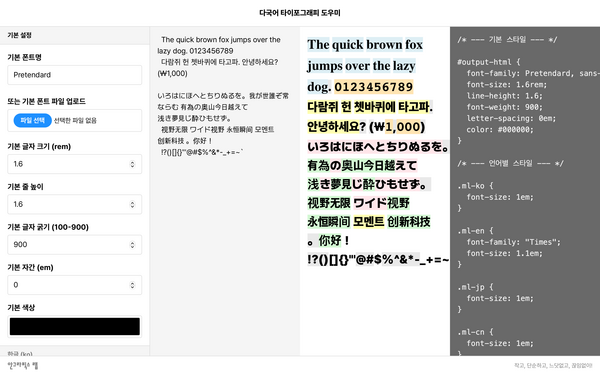
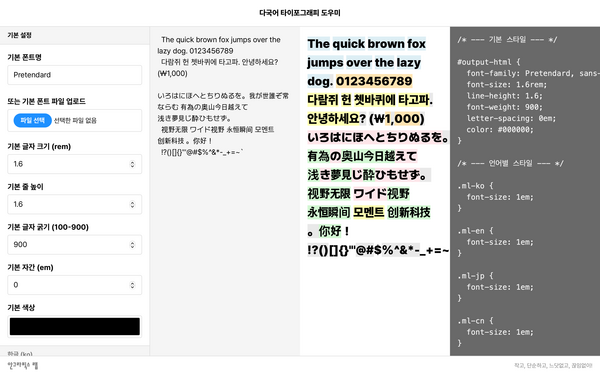
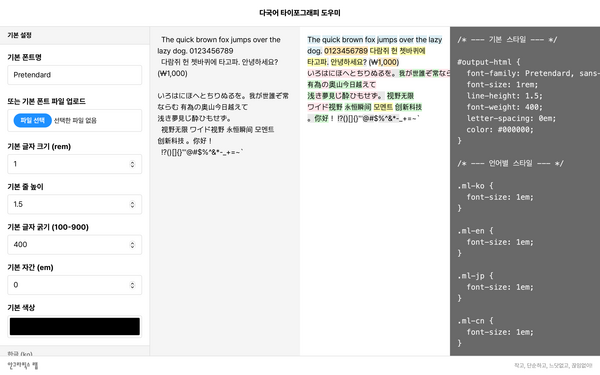
Multilingual Typography Assistant is a web tool for testing fonts and typesetting settings by script and copying the resulting CSS.
One of the joys—and pains—of using Hangeul is mixed-script typesetting: combining the characters of several languages within a single line. Bringing Hangeul, Latin letters, numerals, symbols, Chinese characters, and kana into natural harmony on one screen takes more work than you might expect. Their sizes, baselines, spacing, weights, and colors all differ. This is as true on the web as it is in print.
To address this problem, Wonyoung So and E Roon Kang developed and released an open-source JavaScript library called multilingual.js while building the website for the fourth Typojanchi 2015: City and Typography. It was a tool to help East Asian designers control multilingual typography precisely in HTML and CSS, much as they would with InDesign’s Composite Fonts feature.
multilingual.js uses regular expressions to detect particular character sets—Hangeul, Latin letters, Chinese characters, and so on—in an HTML document, then wraps the matching words in inline <span> tags and assigns a distinct class name to each script. This lets designers set fonts, letter spacing, positioning, and other properties separately for each type of character. It was, so to speak, an experimental but effective starting point for multilingual typography on the web.
Multilingual Typography Assistant grew out of my wondering whether multilingual.js, which I have often enjoyed using, could be made a little easier to use.
Multilingual Typography Assistant could be called an extension or plug-in for multilingual.js. You can test multilingual typography by entering the name of a font installed on your computer or uploading a font file for each script or character type: Hangeul, Latin letters, kana, Chinese characters, numerals, and symbols. You can also adjust font size, line height, letter spacing, vertical position, color, and more. Of course, you can copy the CSS code on the right and apply it to your own website. Unfortunately, the interface is divided into quite a few panes, including a sidebar, so it runs only on laptops or desktops. That is all.
If you are interested in mixed-script typesetting and multilingual typography, please see the paper “multilingual.js: A JavaScript Library for Multilingual Web Typography” in LetterSeed 13: Technology and Typography. It carefully explains how multilingual.js works and its technical context for designers.